Forms & inbox
Letters from the site, read in the Studio.
Make a form in the Studio and put it on the client’s site. What visitors send lands in an Inbox the client’s team answers from. Bots are caught by a field people never see.
Try it
Send it as Rose, then as a bot
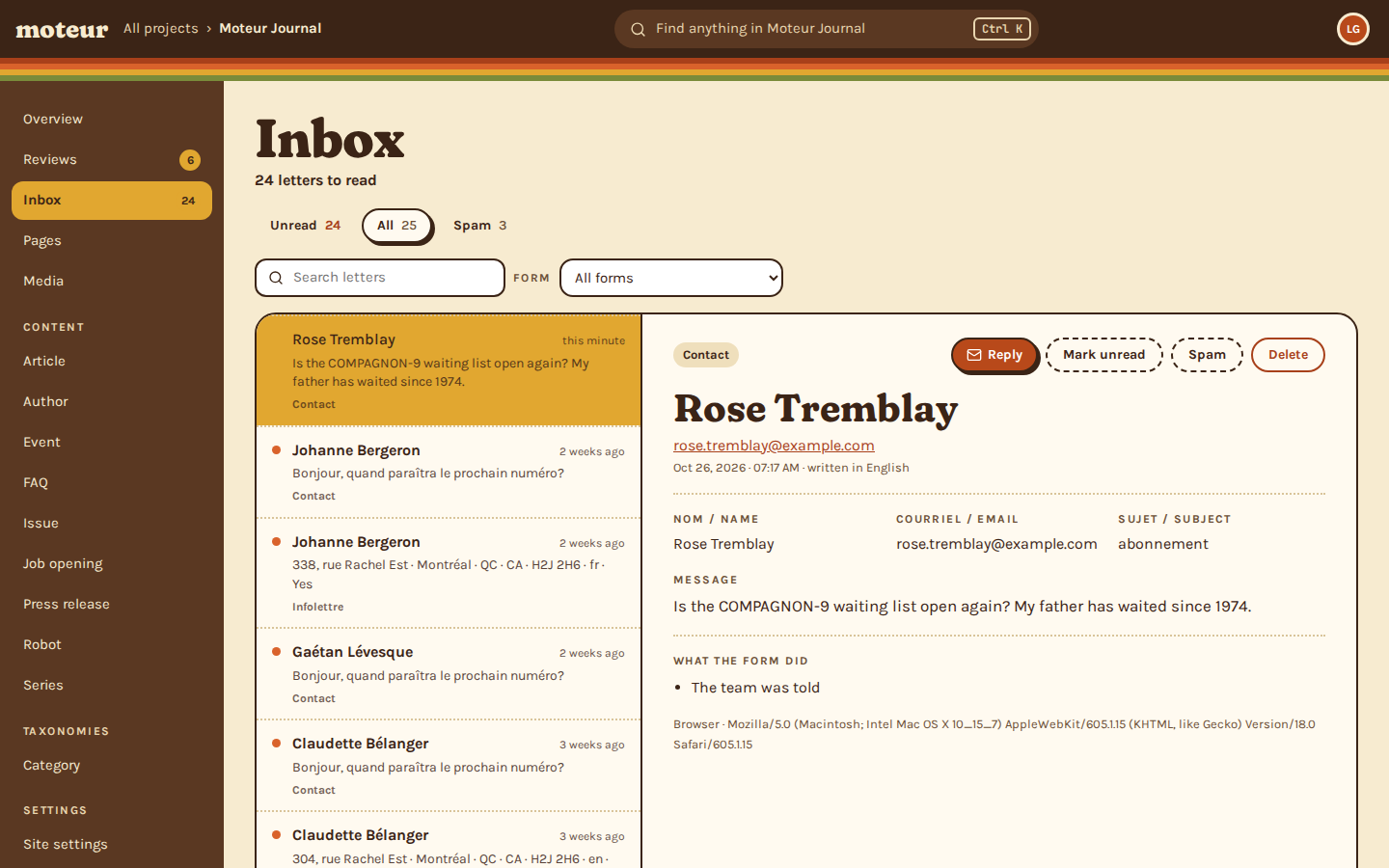
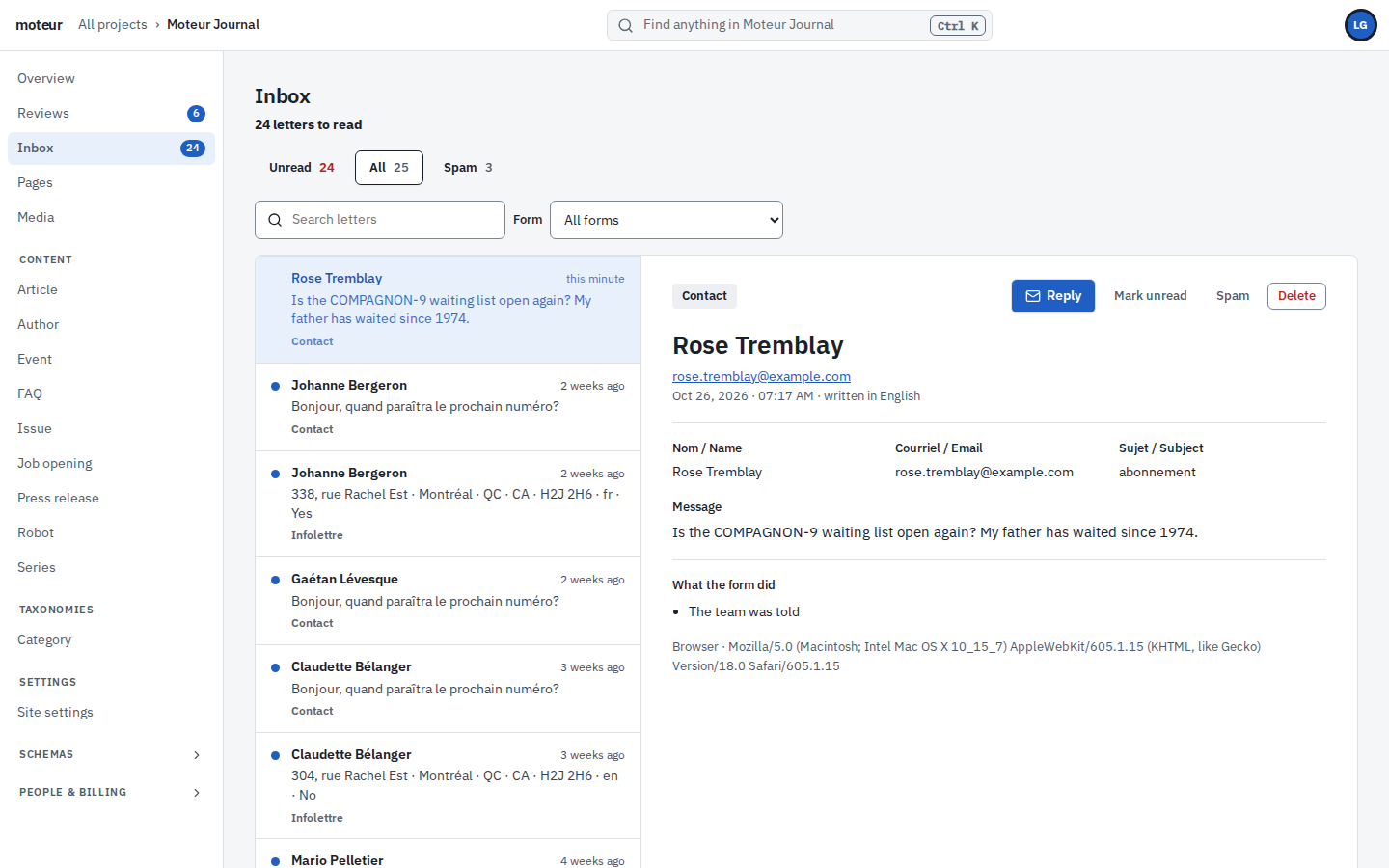
The demo journal’s contact form, and its Inbox. Rose’s letter lands in Unread and the team is told. A bot fills in every field, the hidden one too, and that’s how it’s caught.
Contact
What the sender is told
{ "success": true, "submissionId": "2a4f0996c9e8", "message": "Thank you, we will reply." }Inbox
this minute
What the form did
Contact
Johanne Bergeron2 weeks ago
Bonjour, quand paraîtra le prochain numéro?
Contact
Gaétan Lévesque2 weeks ago
Bonjour, quand paraîtra le prochain numéro?
Contact
Claudette Bélanger3 weeks ago
Bonjour, quand paraîtra le prochain numéro?
Contact
Recorded from the demo project: Rose and the bot were sent the same answer. The hidden field is shown here so you can watch it. On a real site no one sees it.
The form’s work
After the letter
What a form can do with each letter, set in the Studio, without code.
Team
Tell the team
Each letter is emailed to the people you name, with replies going straight to the sender.
- Your own subject
- Reply from your email
Sender
Confirm to the sender
A thank-you email to the person who wrote, in the language they wrote in.
- Your words, per language
Entries
Make it an entry
A letter can become a draft entry, its answers in the fields you map: an event idea, a job application.
- Always a draft
- Fields mapped by you
Webhooks
Send it on
Each letter can go on to your CRM or a script, through a webhook. An email can go to anyone else, too.
- Set once per project
- Email someone outside the team
Inbox
Answer from the Inbox
Unread, all and spam, with a search that ignores accents. Reply opens your email, already addressed.
- Mark unread, or not spam
- Download a form’s letters
Site
On any site
The form’s “On the site” tab gives you a snippet to paste. It posts to Moteur without a key.
- A thank-you, or a page to go to
- Up to 60 letters every 15 minutes
On the site
Your own form, posting to Moteur
Use the Studio’s snippet, or your own markup: any page can post to the form’s address, from any site, with no key.
- JSON or a classic form post
- The visitor’s language with ?locale=
- The page, the referrer and the campaign, in the Inbox
contact.js
const form = document.querySelector('form');

form.addEventListener('submit', async event => {
  event.preventDefault();
  const body = new URLSearchParams(new FormData(form));
  body.set('_page', location.href); // the page, and its utm_ campaign
  body.set('_referrer', document.referrer);
  const answer = await fetch(
    'https://api.moteur.io/projects/journal/forms/contact/submit?locale=en',
    { method: 'POST', body },
  ).then(r => r.json());
  form.replaceWith(answer.message);
});

// { "success": true, "submissionId": "2a4f0996c9e8", "message": "Thank you, we will reply." }Questions about forms
A marketer asksHow are bots kept out?
MoteurBy a field people never see, and by a clock: a form sent faster than a person could fill it is a robot. What they catch is filed under Spam, quietly, and told the same thank-you. A form that needs more can add Turnstile, hCaptcha or reCAPTCHA.
A developer asksAre required fields checked?
MoteurTwice. The visitor’s browser checks first, and the server checks again, since a browser’s checks can be skipped. It keeps only the form’s fields, and refuses an answer that doesn’t fit: a missing name, an email that isn’t one, a choice that isn’t offered. The visitor is told which answers to fix.
An agency owner asksHow many letters can a project receive?
Moteur100 a month on Free, 1,000 on Personal, 10,000 on Pro and 20,000 on Extra. Past that, new letters are refused with a message saying so. Spam doesn’t count.
A reader asksCan visitors attach files?
MoteurNot yet. Forms take text, email, numbers, dates, choices and yes-or-no.
A client’s editor asksWhere are the letters kept?
MoteurWith the project, apart from its content. They aren’t commits in its history, and deleting one deletes it.
Put a form on your client’s site.
Start a free project, make a contact form, and read the first letter in the Inbox.